Create custom modules easily within 5 minutes using the Vtiger Module Builder User Guide and improve your CRM functionality.
Enhancing your Vtiger CRM functionality is crucial as your business grows. customizing your Vtiger CRM according to your unique business requirements will increase performance.
But how exactly do you create custom modules?
You can create custom modules in Vtiger CRM effortlessly using Vtiger Module Builder and Relationship Builder.
To begin, name the module, add fields and blocks, and create a list view according to your needs and later custom modules by layout editor.
Steps to Build Your Vtiger Module
Step 1: Accessing the Vtiger Module Builder
- Log in to CRM
- Go to settings and select “CRM settings”.
- Select other settings and click on “JB Module Builder”.
- Click on “Create New Module”.
Step 2: Creating a new Module
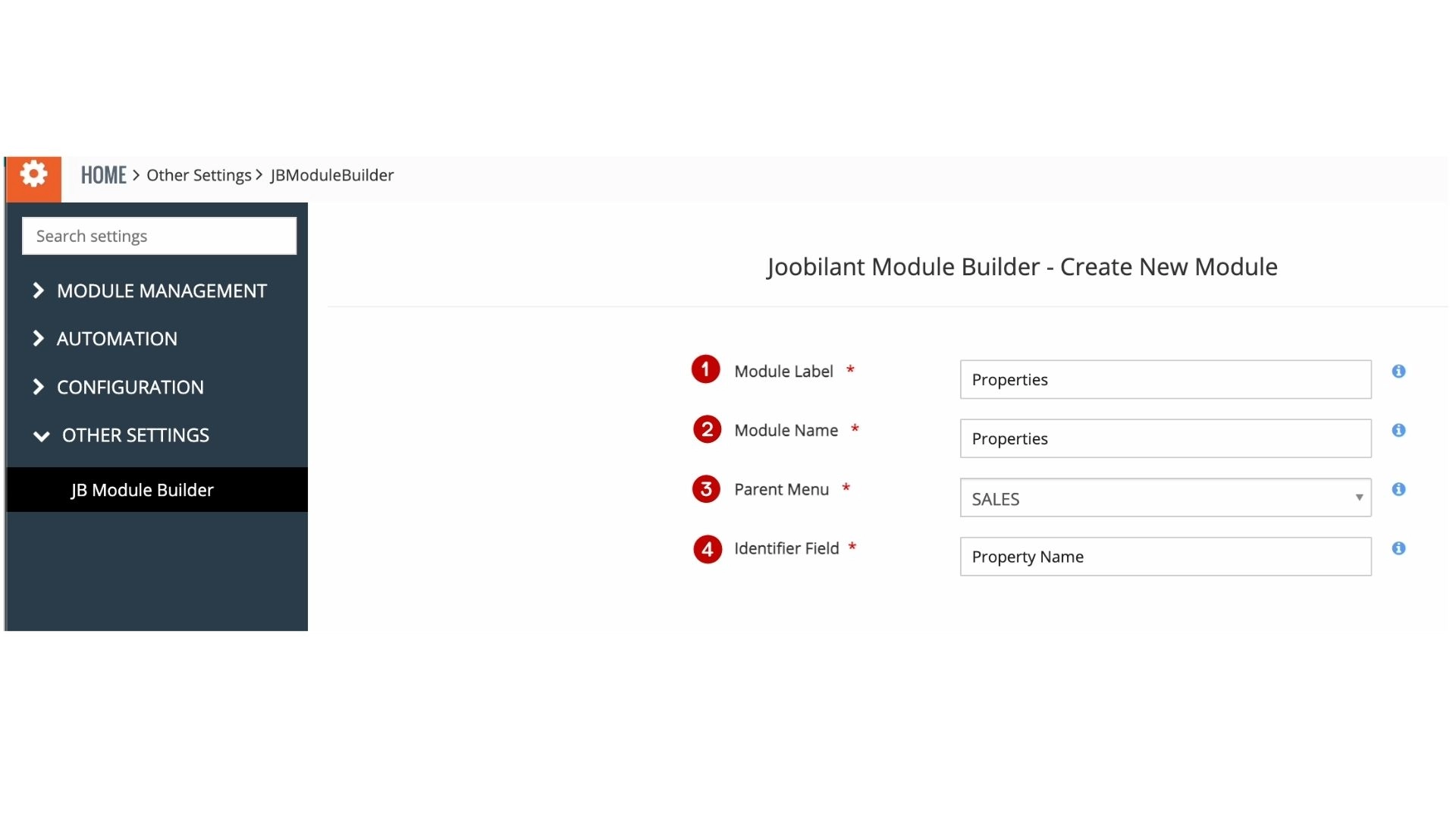
Enter the required information.
- Module label: the module name that should be displayed in CRM.
- Module name: This value will be auto-created from the module label – used for the backend.
- Parent menu: In the main menu – the module will be listed under this parent menu.
- Identifier field: primary field of the module, eg: in the contact module- contact name will be the primary field.
- click the save button.
Step 3: Creating blocks and fields
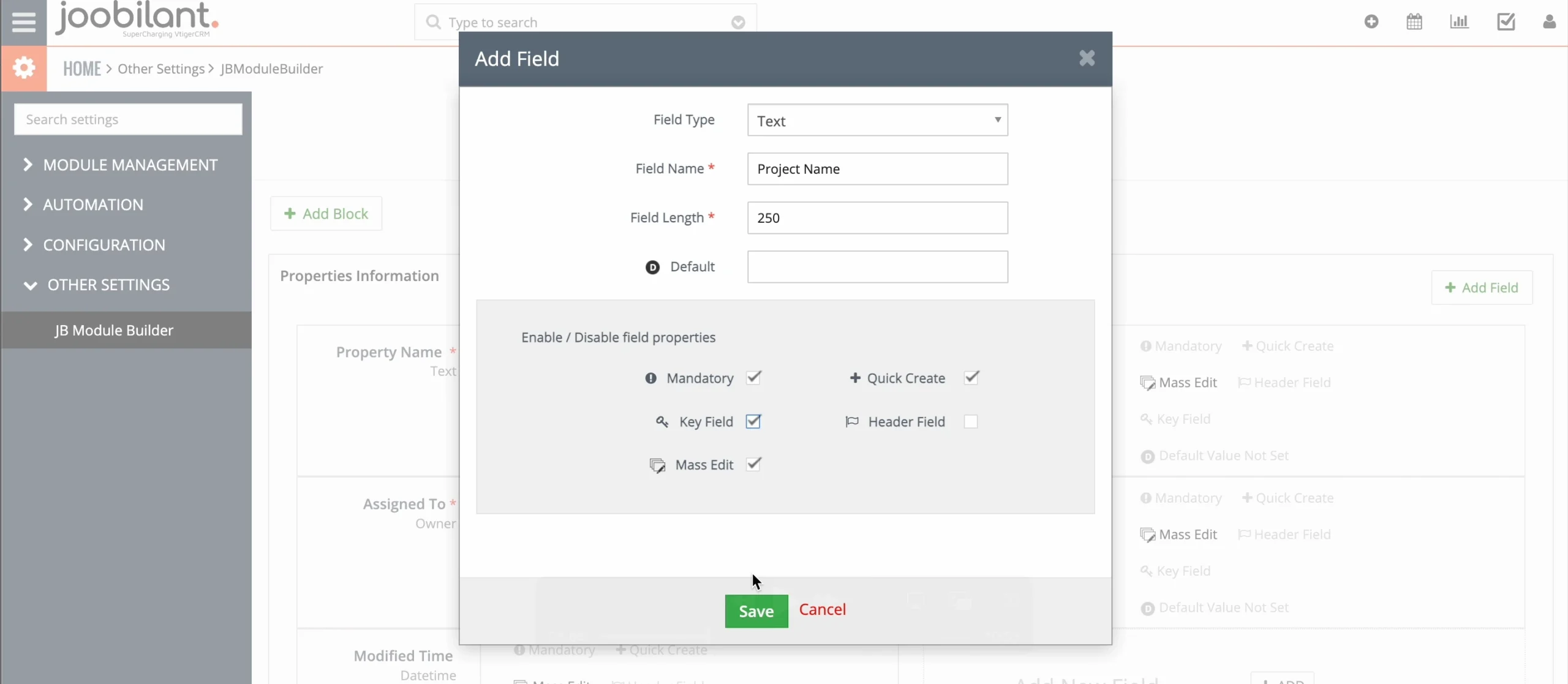
- click on the “add field” button on the left corner of the screen.
- fill in the field type, field name, and field length.
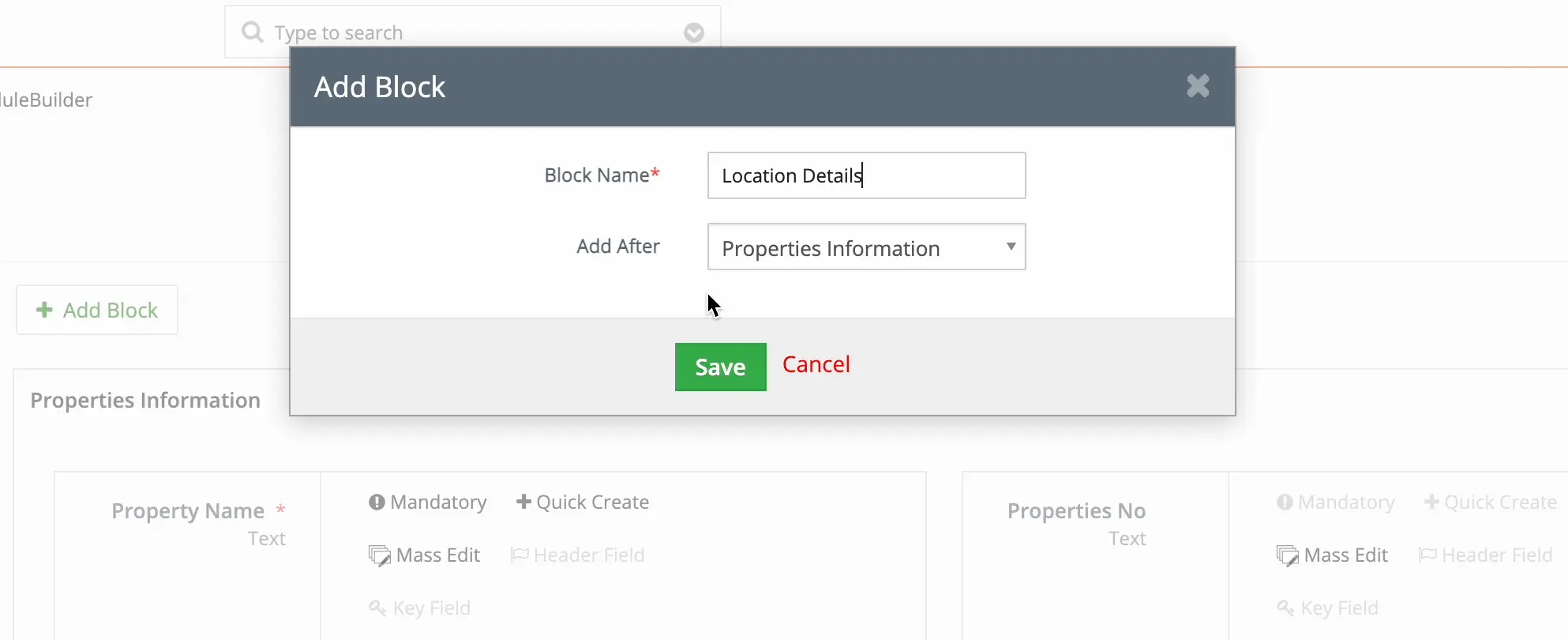
- click on the “add block” button on the right corner of the screen
- and fill in the block name
- Mandatory: If this feature is enabled, it becomes mandatory to enter a value for the field.
- Key field: If this feature is activated, the field will be displayed in the Key Fields section of a module’s Summary View.
- Mass edit: If this feature is enabled, you can execute a mass edit action on the field.
- Quick Create: If enabled, the field will be accessible under Quick Create.
- Header field: If activated, this field will be displayed in the Header section of a module’s Summary View. save the changes.
let’s add fields under the created block
- click on the “add button” on the bottom right
- fill in the field type, field name, and field length
- save the changes.
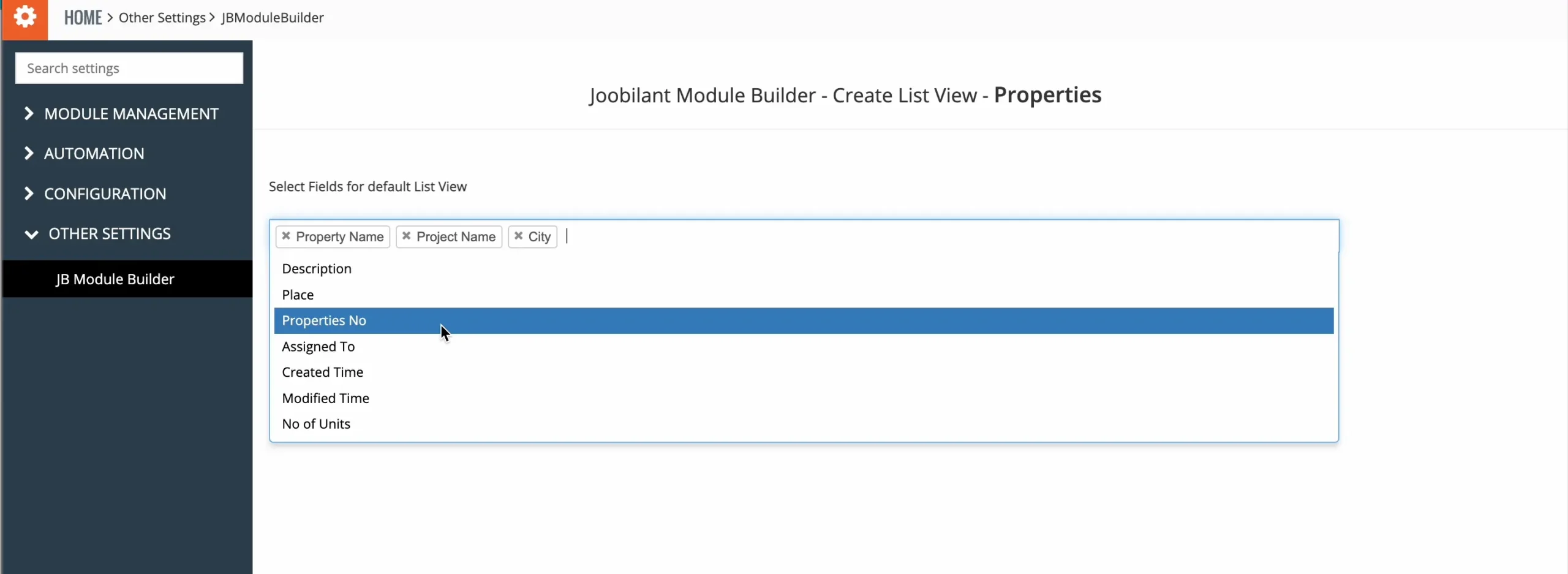
Step 4: Create a List view
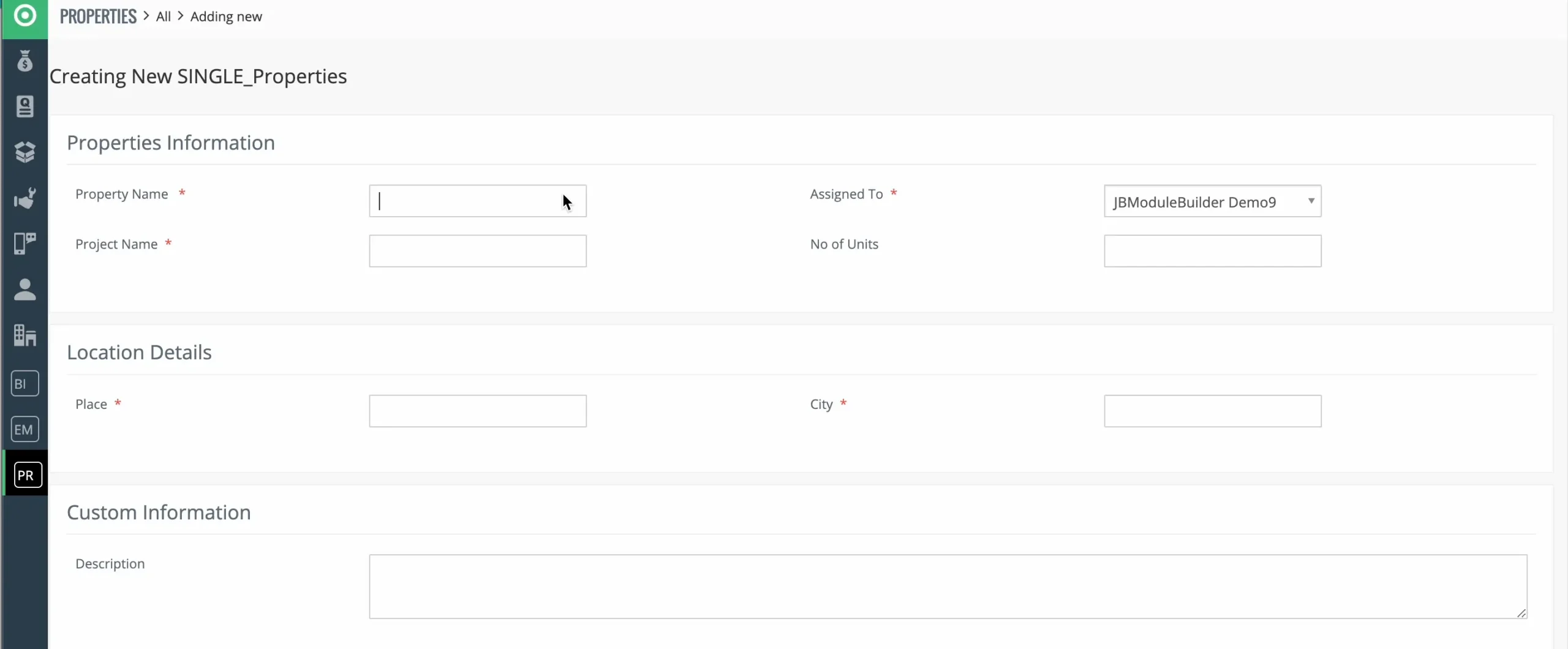
Step 5: Create a record on the newly created module.
- Select the “View Module” link, where you’ll land after creating the new module.
- click the “new record” from the top left side of the list view
- Create a record by filling out the mandatory fields and saving changes.
- save changes to access the summary and detail page view.
- add comments if needed
- Navigate to “All” for the list view.
Create Relationships with the newly created or existing modules using the vTiger Relationship Builder.
Watch Vtiger Module Builder User-guide Video
Frequently Asked Questions?
Vtiger Module Builder, or Vtiger Module Creator, is a tool that allows you to create custom modules inside Vtiger CRM without writing code. It helps businesses extend Vtiger by adding new entities, custom fields, and module layouts based on their specific workflow needs.
Yes, you can create custom modules in Vtiger without coding by using the Vtiger Module Builder. It provides a visual interface to define module names, fields, layouts, and relationships, making it suitable for non-technical users and CRM administrators.
Yes, Vtiger Module Builder is compatible with Vtiger 7 and later versions and also minor versions. It follows Vtiger’s standard module structure, ensuring stability, upgrade safety, and smooth integration with Vtiger open-source .
Yes, modules created using the Vtiger Module Builder can be edited later. You can add new fields, modify existing fields, update layouts, and adjust module settings as business requirements change over time.
Yes, the Vtiger Module Builder allows you to create relationships between custom modules and standard Vtiger modules such as Leads, Contacts, Organizations, or Deals. This ensures proper data linking and seamless navigation within the CRM.
No, Vtiger custom modules do not affect CRM performance when created correctly. The Vtiger Module Builder follows Vtiger’s database and coding standards, and performance remains stable when proper indexing and module relationships are maintained.